Case 01 / Content operations
In useGestor Aramis
A focused workspace for planning, production assets and review, built around the daily work of a small marketing team.
In brief
- The problem
- Content status and handoffs were scattered across Drive folders and messages.
- My contribution
- Defined the workflow and priorities, guided AI-assisted development and tested it with the team.
- Result & status
- Used by our three-person team. Marketing and design share work status and next actions.
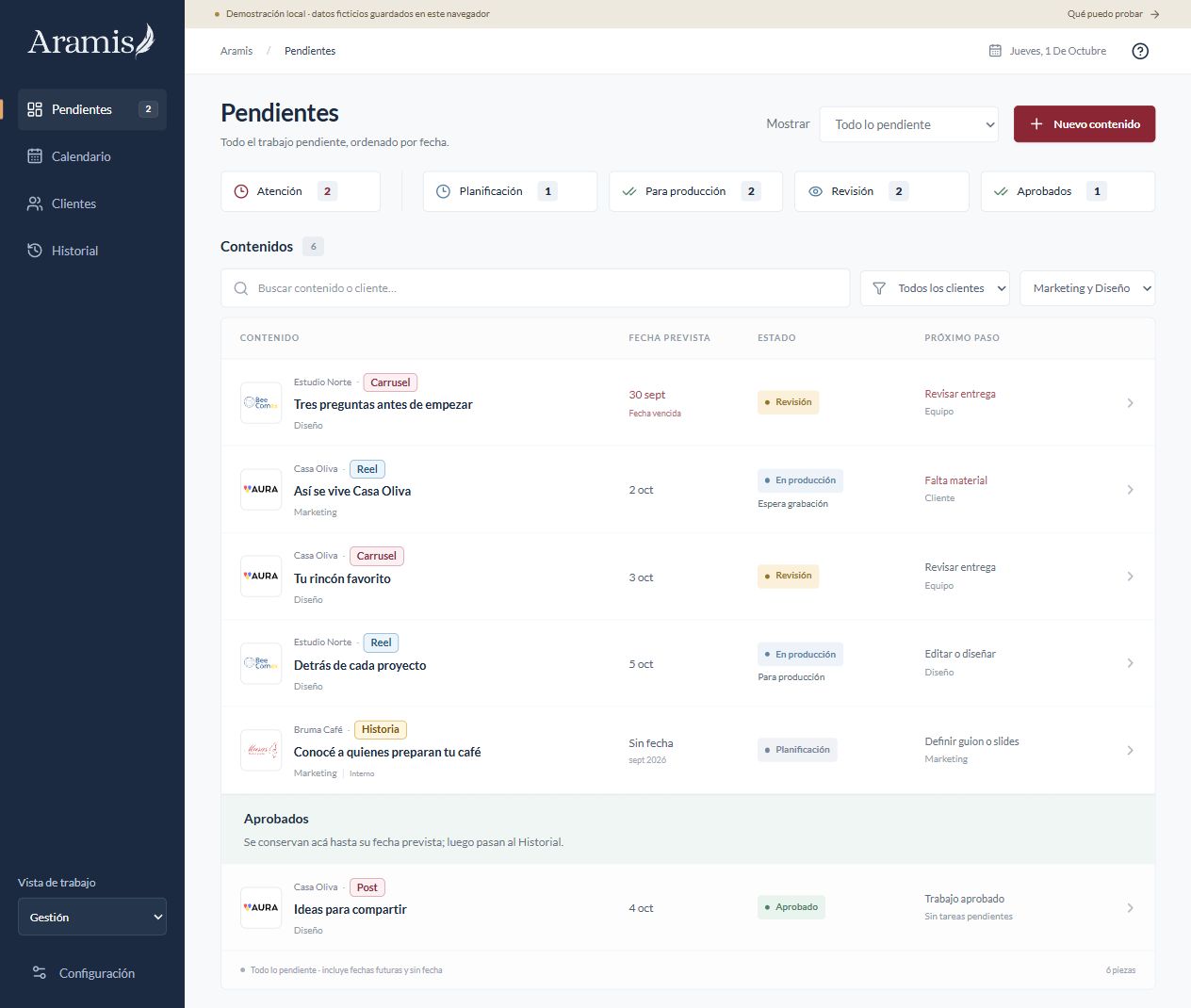
The workflow
A question like “Is the latest reel ready?” used to require checking messages and folders. Gestor gives marketing and design one place to see the stage, material and next action.
- 01 · Plan
- 02 · Produce
- 03 · Review
- 04 · Approved
In the English demo, choose “Try the workflow” for a guided example of review and approval. Changes stay in your browser.
- Marketing: prepare each piece and see what is missing.
- Design: open the production queue with the script, footage and correction notes together.
- Review: approve a delivery or return it with a reason, tied to that version.
- Follow-up: email summaries flag production work for design and new deliveries for marketing.
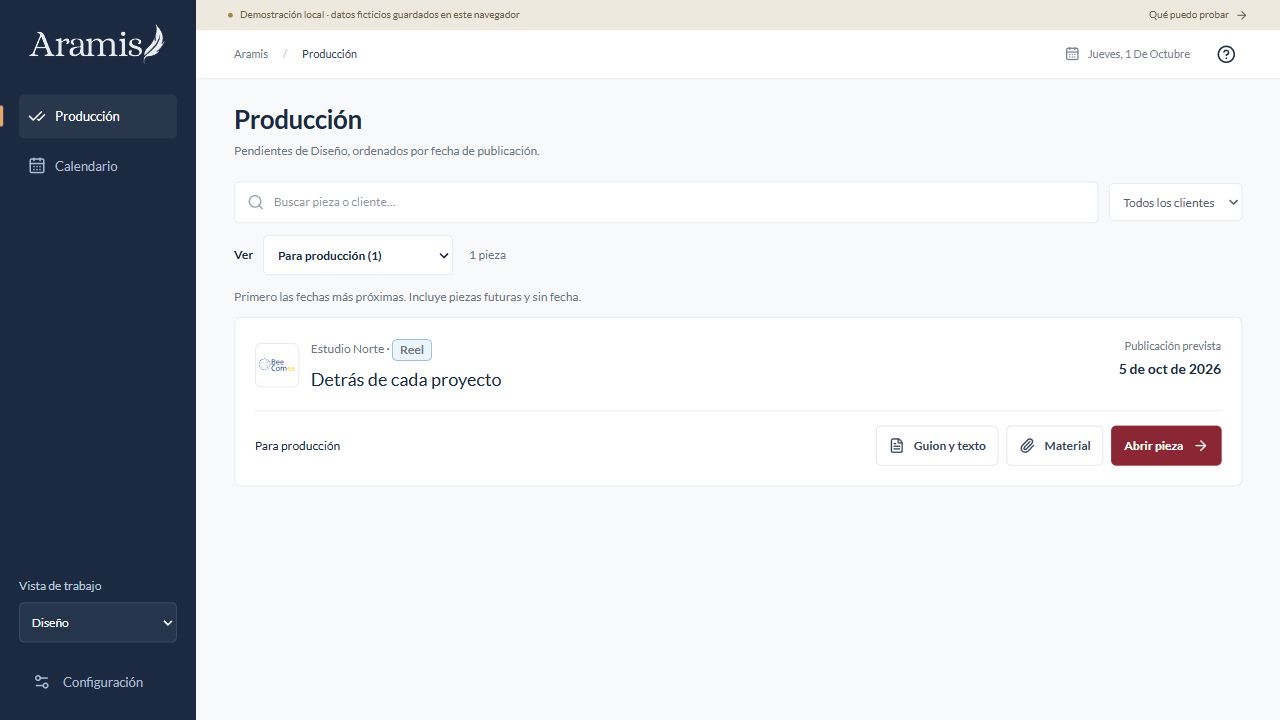
The 122-video decision
During development, my colleague had trouble uploading 122 clips from a football match. Their routine was to upload everything to Drive, remove unused footage and tell design when it was ready.
Native Drive uploads handled that batch better. I changed the requirements so marketing could keep using Drive, while design accessed the files from the piece. The app checks the linked folder to bring those files into the workspace. The Google viewer also lets design preview iPhone MOV footage.
This was part of my work on requirements, priorities and validation with the team. I kept the interface focused on the next action and used feedback to adjust the flow.
What changed
Marketing and design now share the same view of pending work. Our team reports no more delays caused by someone being unaware that a piece needed attention, and my colleague reports more efficient design work.
We spend less time asking someone to check a folder or explaining which part of a reel is still missing. These are observations from our team; time savings have not been measured.
Implementation and current scope
AI coding tools handled much of the implementation. The interface uses React and TypeScript; Cloudflare hosts the application and API; Supabase provides authentication and PostgreSQL; Google Drive stores files; a scheduled Worker and Resend deliver summaries. Folder checks run through the app, rather than continuously while it is closed.
Request identifiers and revision checks help prevent duplicate commands or overwriting newer work. Deliveries retain the approved Drive revision, and notification dispatch uses database leases and email idempotency keys. The repository documents these decisions.
The internal workspace is deployed for the team. The public demo is a separate static version: changes stay in the visitor's browser, with no live Drive connection or outgoing email.
Have a similar challenge or a role in mind?
Let's talk